Weapons. Loot.
Loadouts. In 3D.
Build weapons, place building loot and dress your AI characters in 3D. Three new tools bring the details of your server into view before you export.
By DZconfig
Real screenshots from DZconfig. Select any image to open it at full size.
Build the weapon.
See the difference.
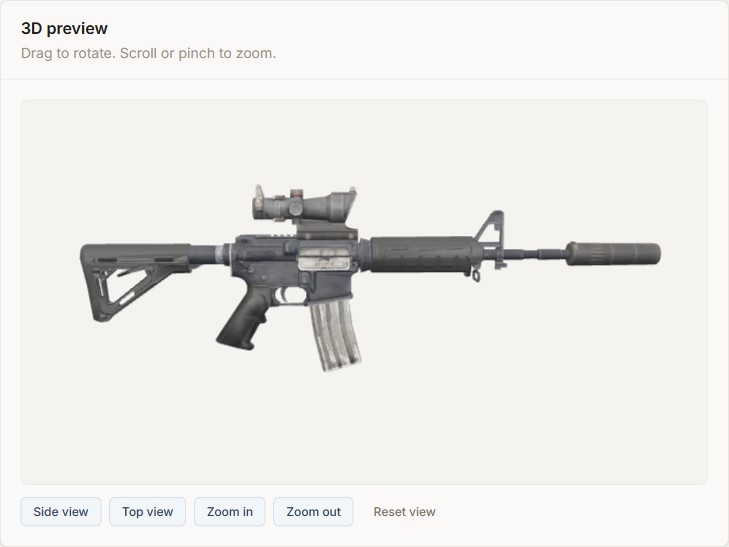
Start with a DayZ firearm, then try compatible stocks, handguards, optics, muzzle attachments and magazines. The 3D model updates as you choose parts, so you can rotate, zoom and inspect the complete build.
Weapon stats show the bare firearm beside your current setup, with a separate change column. Compare weight, magazine capacity, recoil and sway as you swap equipment, using the values available in DayZ’s configuration data.
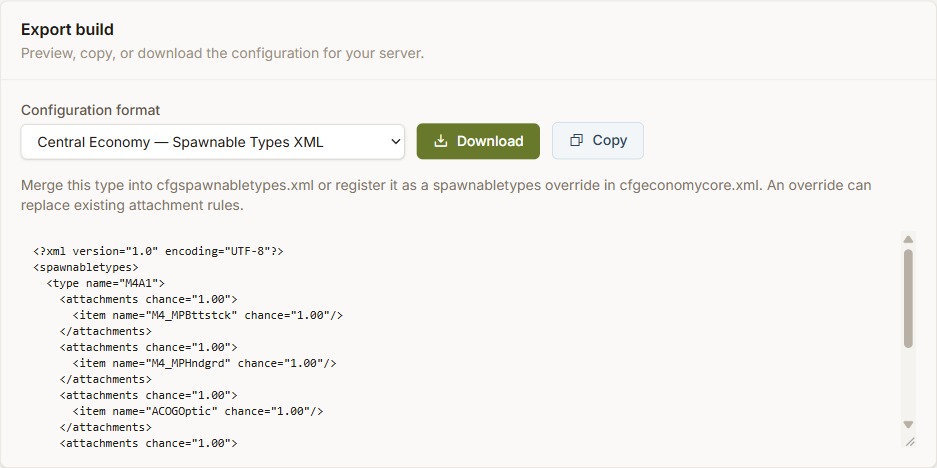
Once you have the combination you want, preview and copy or download its configuration. Choose Central Economy spawnable types XML, Expansion AI loadout JSON, vanilla starting gear JSON or an Expansion Market item snippet.
Open Firearm Builder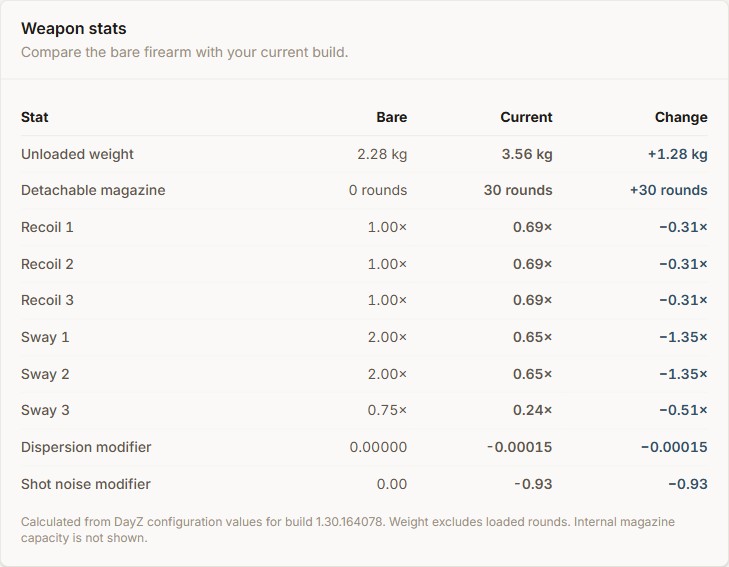
Stats are calculated from DayZ configuration values. Weapon weight excludes loaded rounds.
Put loot exactly
where it belongs.
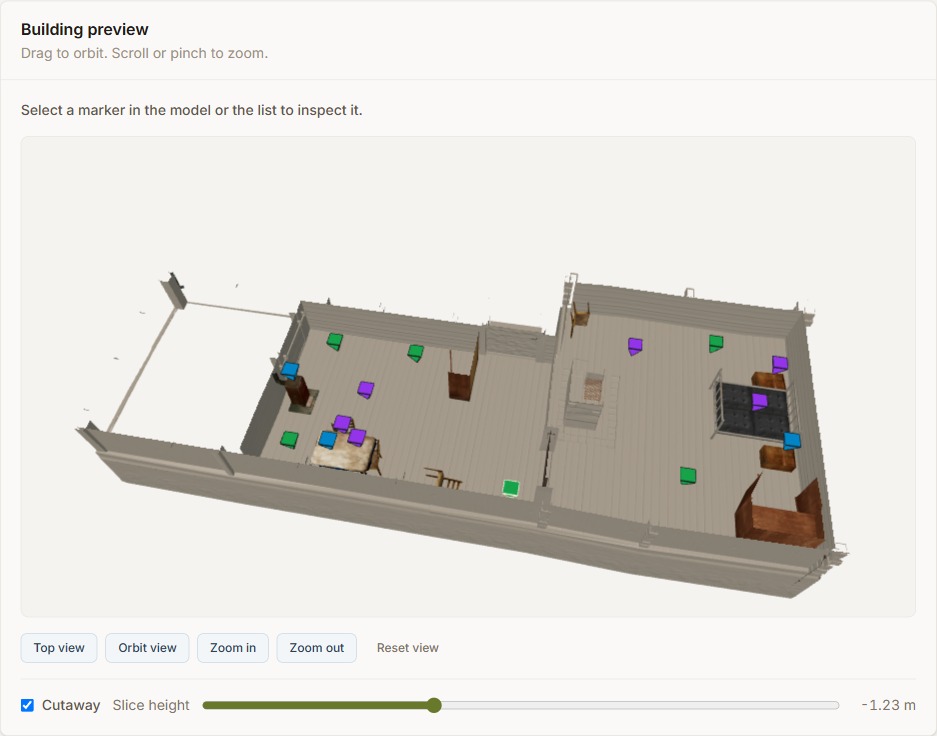
Open CE Loot Groups in your instance to explore building loot positions, then inspect a building in the 3D Loot Point Editor. Coloured markers show where its loot points sit in relation to rooms, floors and walls.
Switch between top and orbit views, enable the cutaway and adjust the slice height to see inside. Select a point to inspect its X, Y and Z coordinates, range and height. Move it on the model, duplicate it or remove it from your draft.
Export a selected group as XML, or merge your edits into your instance’s mapgroupproto.xml when a mission source is available. You can review the result before applying it to your server.

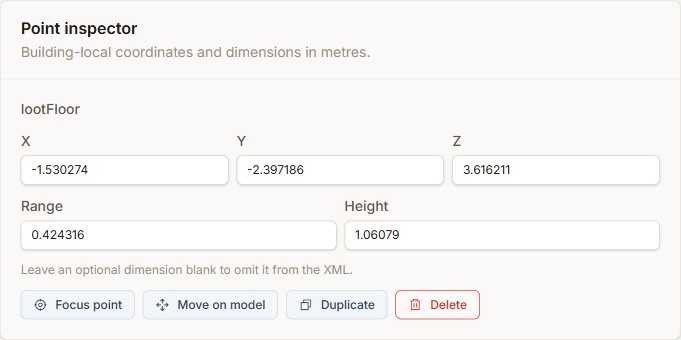
Loot group edits apply to every placement of that building type in the mission. Use them to tune a building’s shared loot layout.
Give every
loadout a face.
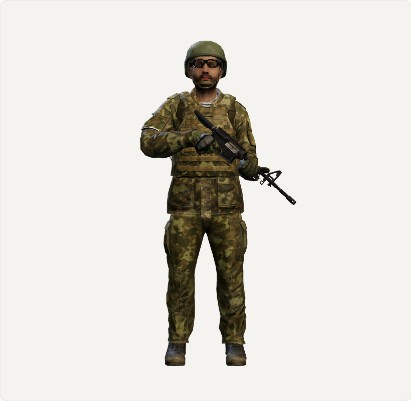
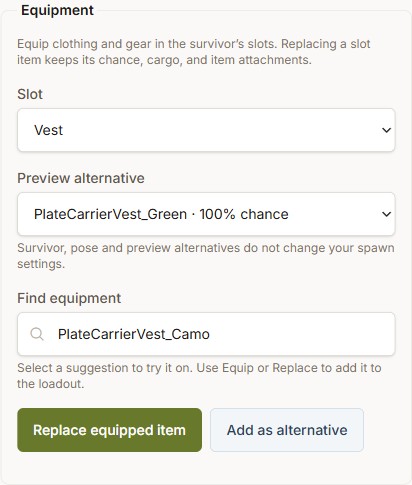
Open the Outfit Builder inside an Expansion AI loadout to see your equipment on a survivor. Choose a character to preview, search for clothing and gear by name or classname, and equip it in the matching slot.
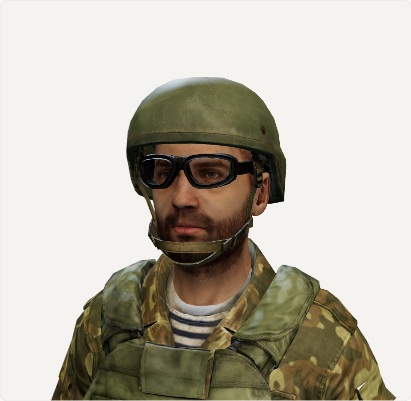
Try jackets, trousers, boots, helmets, vests, backpacks and shoulder weapons together. Front, back, side and headshot camera views help you check the whole outfit or focus on a detail. Use a weapon pose to preview the character holding their firearm.
Replacing an equipped item preserves its chances, cargo and attachments. You can also add another choice as an alternative. The gear you equip stays connected to the configuration you export; character and pose choices only change the preview.
Ready to try them?
All three tools are included with Platinum.-
Choose your plan
Create a DZconfig account and choose Platinum to unlock the 3D tools. Already subscribed? Sign in and get started.
-
Open the right tool
Find Firearm Builder from Classnames, CE Loot Groups in your instance, and Outfit Builder inside an Expansion AI loadout.
-
Preview, review, export
Try your changes in the browser, review the generated configuration and apply the exported files to your DayZ server.
More control over the details players see.
Explore the new tools and bring your next weapon, loot layout or AI loadout into view.